
Quick Summary
Knowing what to do when your gate keypad stops working begins with safely identifying common issues such as depleted batteries, moisture intrusion, or unresponsive safety sensors. Immediate troubleshooting involves checking power supplies and consulting the manufacturer manual, while strictly avoiding hazardous actions like bypassing safety circuits or modifying internal wiring. Readers will understand how to complete basic DIY checks safely and when to contact Ironworks Gate Co. for professional diagnostics and repairs.
What to Do When Your Gate Keypad Stops Working – Fast Fixes
When an automatic gate keypad stops responding, troubleshooting should be limited to checking the power supply or batteries according to the manufacturer’s instructions, inspecting the unit for visible damage, and consulting the equipment manual.[3]
Keep safety front and center whenever working around an automated gate. The available evidence from the U.S. Consumer Product Safety Commission (CPSC) concerns automatic-gate injury hazards generally, not the frequency or causes of keypad failures specifically. Always disconnect power before attempting any repair and follow the manufacturer’s safety instructions. Never reach through, force, bypass, or jumper the gate or its safety devices, and keep children and others clear of moving parts at all times. If basic checks do not resolve the issue, consult the equipment manual or a qualified service technician such as Ironworks Gate Co.[1]
What to Do When Your Gate Keypad Stops Working – Quick Overview
Quick Overview: First, verify that the keypad has power or check the batteries according to the manufacturer’s instructions. Next, inspect the keypad enclosure for visible damage or moisture. Do not bypass safety devices or attempt unauthorized wiring modifications. If issues persist, refer to the manufacturer’s manual or contact a qualified professional.[4]
Immediate Safety Precautions
Automated gate systems present serious mechanical hazards. Always disconnect power before any repair attempt and follow the manufacturer’s safety instructions. Never reach through, force, bypass, or jumper the gate or its safety devices. Keep children and others clear of moving parts and out of the gate pathway at all times. Consult the equipment manual for safe manual release procedures.[2]
Fast Troubleshooting Checklist
- Disconnect Power: Always disconnect power before inspecting internal wiring or components, following all manufacturer safety instructions.
- Check Power and Batteries: Inspect the power connection or check and replace batteries according to the manufacturer’s instructions.
- Inspect for Visible Damage: Check the enclosure for visible signs of damage, wear, or moisture intrusion.
- Consult the Manual: Refer to the equipment manual for model-specific diagnostic steps and operating guidelines.
What You Need Before Troubleshooting Your Electric Gate Keypad
Before inspecting your gate access equipment, consult the manufacturer’s manual for recommended diagnostic tools and safety procedures.
Safety and Equipment Guidelines
- Manufacturer manual: For model-specific wiring diagrams, battery specifications, and safety guidelines.
- Basic hand tools: Standard tools specified by the manufacturer for safely opening the keypad enclosure.
- Personal safety equipment: Ensure proper safety equipment is used and power is disconnected prior to inspection.
Step 1: Inspect Power Supplies and Batteries
Check the system’s power supply or batteries according to the manufacturer’s instructions. Follow the specific guidelines in your equipment manual to ensure power connections are secure and batteries are properly installed.
Step 2: Check for Visible Damage and Moisture
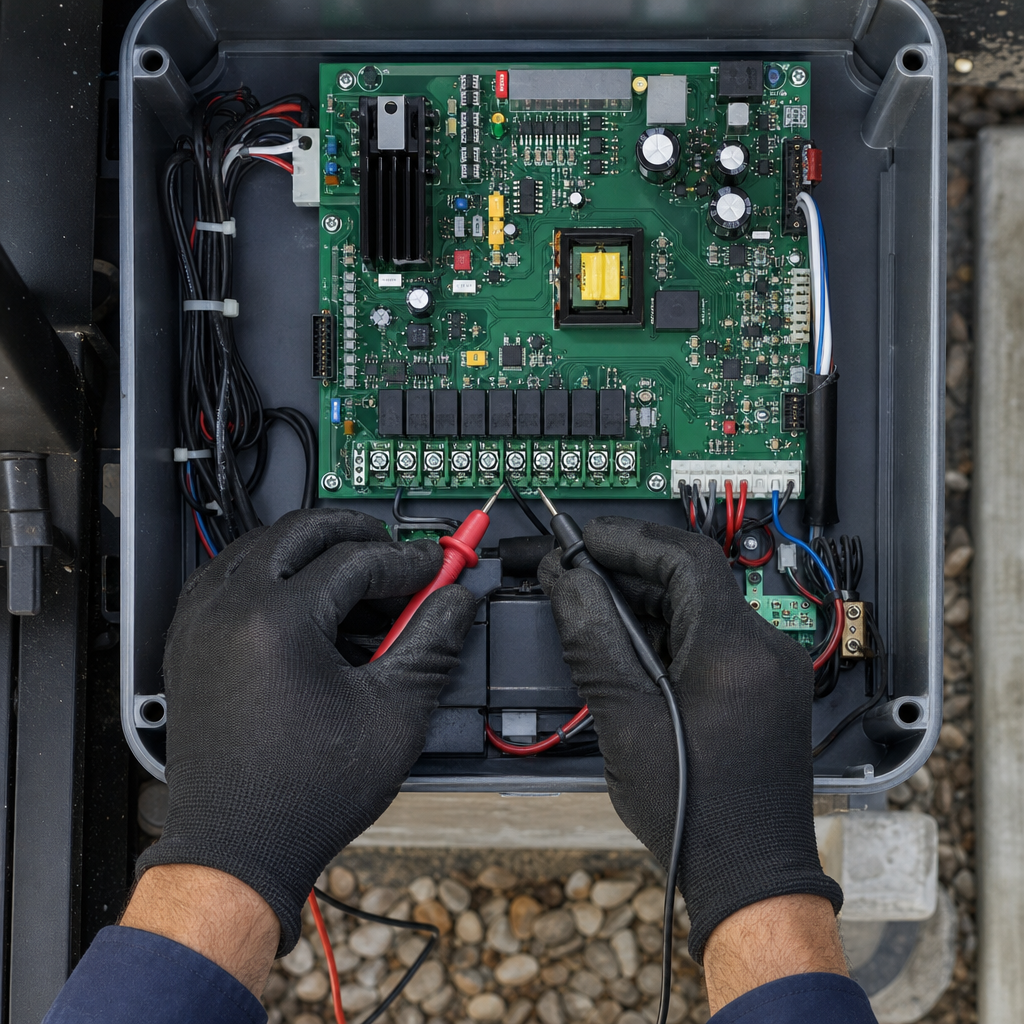
Inspect the keypad housing for visible signs of physical damage, wear, or moisture. Always disconnect power before opening the keypad enclosure or performing any maintenance. Clean and inspect the enclosure only as directed by the manufacturer’s safety instructions.
Step 3: Clear Keypad Lockout Modes and Reset Access Codes
Need what to do when your gate keypad stops working?
We’re available now - call for a fast, free estimate.
Reset and code-reprogramming steps vary by model. Follow the manufacturer’s manual and do not assume a factory code or universal key sequence.
Step 4: Control Board and Safety Circuit Considerations
Do not attempt jumper tests or bypass safety circuits to test the operator. Bypassing safety components can lead to severe injury. If the keypad fails to communicate with the gate operator, consult the equipment manual or contact qualified service personnel like Ironworks Gate Co. for diagnostics.
Step 5: Inspect Interconnected Safety Sensors
Inspect external safety devices, such as photo-eyes or loop detectors, for visible obstructions, misalignment, or physical damage in accordance with the manufacturer’s manual. Never bypass or disable safety sensors to operate the gate.
Keypad and Automatic Gate Opener Brands
Gate access systems vary widely by brand and model:
- LiftMaster
- DoorKing (DKS)
- Viking Access & Nice Apollo
- Ghost Controls & Linear
Always reference the specific brand and model documentation for appropriate servicing instructions and replacement parts.
Frequently Asked Questions
Why did my gate keypad stop working after a rainstorm?
Moisture may have entered the keypad housing. Disconnect power to the system, inspect the enclosure for visible moisture or damage according to the manufacturer’s instructions, and consult the manual before restoring power.
Why does my keypad respond, but the gate will not open?
An interconnected safety device may be obstructed, or there may be an issue with the control board or wiring. Inspect safety sensors for visible physical obstructions, do not attempt to bypass any safety devices, and consult the equipment manual or a qualified service technician.
How do I reset my gate keypad code if I lost the manual?
Reset and code-reprogramming steps vary by model. Follow the manufacturer’s manual and do not assume a factory code or universal key sequence. Obtain the official documentation for your specific model from the manufacturer.
When should I contact a professional service technician?
If checking the power source, replacing batteries per manufacturer guidelines, and inspecting for visible damage do not resolve the problem, contact a qualified technician such as Ironworks Gate Co. Never attempt repairs that involve bypassing safety circuits or forcing mechanical components.
Need what to do when your gate keypad stops working?
We’re available now - call for a fast, free estimate.
Sources
- New Safety Standard for Automatic Security Gates Helps … – cpsc.gov (2000)
- Gates and Enclosures Business Guidance – CPSC.gov – cpsc.gov (2021)
- [PDF] Investigation Guideline Product: Automatic Gate Operators Appendix – reginfo.gov
- Market study into the supply of automatic ticket gates and … – orr.gov.uk (2016)
Frequently Asked Questions
How long does a gate keypad lockout last after too many failed code attempts?
Most automatic gate keypads initiate a security lockout lasting between one and five minutes after three to five incorrect entries. If your unit remains unresponsive after this waiting period, contact Ironworks Gate Co. for professional diagnostic support to inspect the control board.
How do I manually open my gate if the keypad fails completely?
Use the manufacturer-supplied manual release key or lever located directly on the gate operator housing to disengage the motor and swing or slide the gate open by hand. If the manual release is stuck or unavailable, Ironworks Gate Co. provides same-day assistance to restore property access safely.
How can I tell if a hardwired gate keypad failure is caused by damaged wiring?
A hardwired keypad that shows no lights, fails to beep, or works intermittently after moisture exposure often indicates corroded or severed low-voltage wiring underground. Because testing live circuits poses safety risks, have a qualified technician from Ironworks Gate Co. safely test the wiring and transformer connections.
About the author
 |
Sarah Jenkins Sarah Jenkins has over 10 years of experience in the automated gate and access control industry, working closely with both residential and commercial clients across the Dallas-Fort Worth metroplex. She specializes in writing clear, actionable guides on gate maintenance, repair diagnostics, and transparent pricing structures. Sarah holds a degree in Technical Communication from the University of North Texas. |
Gate not opening, off track, or opener dead?
We’re available now - call for a fast, free estimate.
Call Now - Free Estimate